
Quick Summary
Introduction
Is calculator allowed in SBI PO Mains 2026? With the mains exam scheduled for 12 September 2026, understanding the official rules for the on-screen digital calculator in the Data Analysis and Interpretation section is vital. Many aspirants worry about lengthy calculations, making virtual calculator rules and speed techniques essential knowledge.
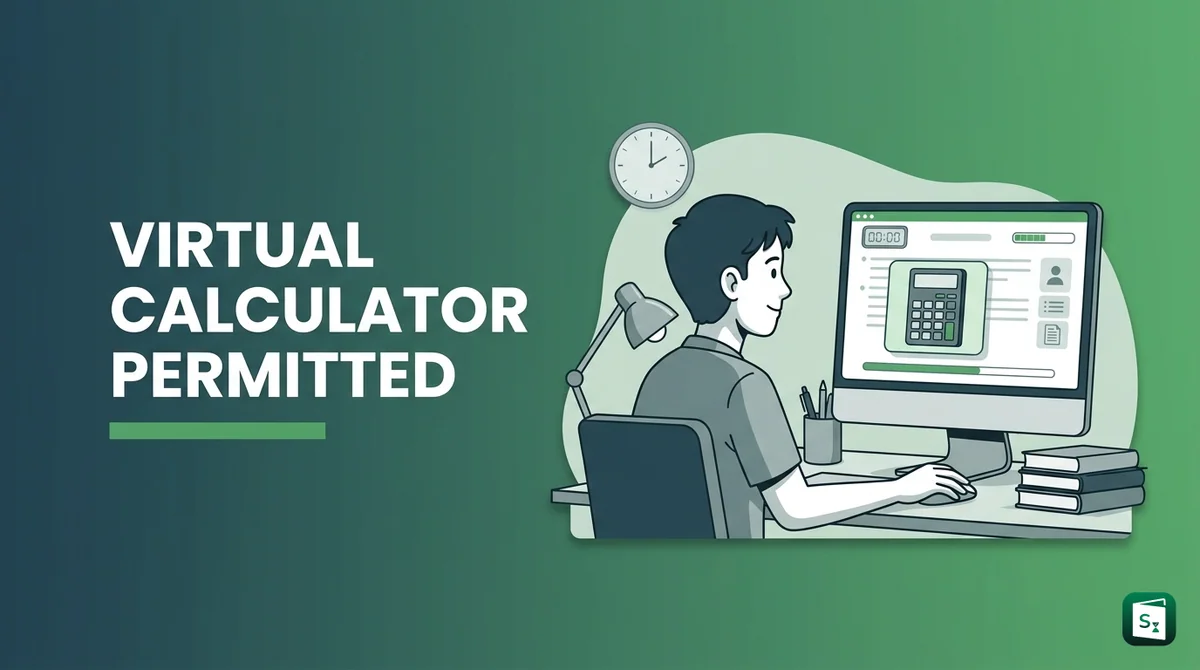
Here is the short answer. You cannot bring any personal calculator, calculator watch, mobile phone or smart watch into the exam hall. But SBI allows the use of the in-built on-screen calculator for one section only, the Data Analysis and Interpretation section. This calculator appears on your computer screen during that section.
This guide explains the official rule from the SBI PO Mains 2026 Acquaint Yourself Booklet, prelims vs mains difference, what is virtual calculator, how the on-screen calculator works, what items are banned, and how to prepare for DI with smart calculation speed.
Mains 2026 Key Highlights
SBI PO Mains 2026 will be held online on 12 September 2026 as a Computer Based Test. The exam has an Objective Test for 200 marks and a Descriptive Test for 30 marks. The descriptive answers must be typed on the computer right after the objective test.
There is separate timing for every section. You cannot move between sections. Each candidate must score minimum qualifying marks in each test individually to qualify for Phase III, which is Group Exercise and Interview.
| Test | Section | Questions | Marks | Duration |
|---|---|---|---|---|
| I | Reasoning and Computer Aptitude | 40 | 60 | 50 minutes |
| II | Data Analysis and Interpretation | 30 | 60 | 45 minutes |
| III | General Awareness, Economy, Banking Knowledge | 60 | 60 | 45 minutes |
| IV | English Language | 40 | 20 | 40 minutes |
| Total Objective | 170 | 200 | 3 hours | |
| Descriptive | Emails, Situation Analysis, Report or Precis Writing | 3 out of 6 | 30 | 30 minutes |
Other key rules for sbi po mains pattern 2026:
- Medium of exam is bilingual, Hindi and English, except English Language section which is English only
- Negative marking is one fourth of marks assigned to that question in objective tests. No penalty for blank answers
- Descriptive test is in English only and spellcheck will not be available
- Category wise merit list for Phase III is based on aggregate marks in Phase II, with about 3 times vacancies shortlisted
Is Calculator Allowed in Mains?
Is calculator allowed in SBI PO Mains? Yes, but only in one limited form. According to the official Acquaint Yourself Booklet for SBI PO Mains 2026, use of in-built calculator is permitted for the test of Data Analysis and Interpretation, which will be made available on the computer screen.
This means:
- Allowed: On-screen virtual calculator during the Data Analysis and Interpretation section only (30 questions for 60 marks in 45 minutes)
- Not allowed: Any personal calculator, calculator with watch, slide ruler, log table, mobile phone, smart watch, or written notes inside the exam hall
- Not allowed in other sections: Reasoning, General Awareness and English sections do not get any calculator support
The official General Instructions clearly state in Point 8 that no calculator separate or with watch, cell phones, books, smart watch, slide rulers, notebooks or written notes will be allowed inside the examination hall.
So do not carry a Casio or any basic calculator to the centre. It will be stopped at checking. Rely only on the computer screen calculator for DI and on rough sheets given at the centre for all other calculations.
Prelims Vs Mains Rule
Many aspirants ask, is calculator allowed in SBI PO exam for both stages. The rule is different for prelims and mains.
| Stage | Physical Calculator | On-Screen Calculator |
|---|---|---|
| SBI PO Prelims 2026 | Not allowed | Not available. All Quant and Reasoning sums must be solved manually on rough sheets |
| SBI PO Mains Objective, Reasoning | Not allowed | Not available |
| SBI PO Mains Objective, Data Analysis and Interpretation | Not allowed to bring | Available on computer screen. Use permitted by SBI |
| SBI PO Mains Objective, GA and English | Not allowed | Not available |
| SBI PO Mains Descriptive | Not needed | Not needed. Typing test only |
In short, sbi po calculator allowed rule applies only to sbi po mains calculator for the DI section. For prelims Quant section, you must depend on mental maths, tables, percentages and fast rough work. Practice prelims mocks without any calculator support.
What Is Virtual Calculator?
What is virtual calculator in SBI PO? It is a simple on-screen calculator that is built into the TCS iON exam interface. It is not a physical device. It looks like a small calculator window on your computer screen.
You operate it with your mouse. You click numbers and functions like add, subtract, multiply, divide, percentage and square root. There is no need to touch the keyboard for it. In fact, SBI warns candidates not to press keyboard keys during the objective test, as this can lock the exam.
Key points to remember:
- It is basic, not scientific. It helps with long division, multiplication and percentage back calculations in DI sets like table DI, bar graph, pie chart and caselets
- It appears only during the Data Analysis and Interpretation section timing. You cannot open it in Reasoning, GA or English sections
- You still get rough sheets for step by step work. The virtual calculator saves time only in the final calculation step
- It does not solve the DI logic for you. You must still find the correct formula, ratio and approach
If you have given GATE or other computer based tests, the idea of virtual calculator online is similar. SBI provides it on the same computer where you solve questions.
How On-Screen Calculator Works
Aspirants often wonder how to use the virtual calculator in SBI PO Mains. SBI does not release a separate download file, and you do not need any virtual calculator download for PC. You simply use the calculator displayed directly on the exam computer.
Here is how it normally works on the mains exam day:
- Start the Data Analysis and Interpretation section. The section timer of 45 minutes begins.
- Look for the calculator icon on the top right of the question screen. Click it with the mouse.
- A small calculator window opens. Keep it on one side so questions remain visible.
- Click numbers and operators with the mouse to do your calculation. Check the result on the display.
- Copy the final value to your rough sheet, apply logic, and then click the answer option and press Save and Next.
- Close or minimize the window when solving logic heavy questions like data sufficiency, to save screen space.
Pro Tip: Do not depend fully on the calculator. Each DI question carries 2 marks, the highest per question weight in mains. Speed matters. If you type every small step like 10 multiplied by 2 into the calculator, you will lose time. Use mental maths for easy steps and the calculator only for heavy division and multi digit multiplication.
Practice this balance in mocks. Many mock platforms now show a similar on-screen calculator for DI. Get comfortable clicking fast with a mouse before 12 September 2026.
Banned Items In Exam Hall
SBI is very strict about exam hall rules. Point 17 of the information handout lists items that will not be allowed inside the lab. Carrying them can lead to disqualification under The Public Examinations (Prevention of Unfair Means) Act, 2024.
Do not carry these items:
- Calculator, scale, writing pad, pen drive, log table, electronic pen or scanner
- Any textual material, printed or written paper bits, geometry box, plastic pouch
- Mobile phone, Bluetooth, earphones, microphone, pager, health band
- Any watch or wrist watch, camera, goggles, handbag, belt, cap
- Any metallic item, ornaments like ring, earrings, chain, nose pin, badge
- Any eatable item, opened or packed. Only transparent water bottle is allowed
What you must carry:
- Mains call letter with recent passport photo pasted, plus prelims call letter with stamped photo ID copy
- Photo ID in original and a photocopy, as mentioned on the call letter
- Pencils, ball point pen, eraser and blue ink stamp pad for thumb impression
- Rough work will be done only on sheets given by invigilator. Write your name, roll number, registration number and exam date on every sheet and submit them before leaving
Warning: Do not try to hide a calculator or phone. SBI matches photo and captures IRIS scan of left eye at entry. Responses are also analysed for similarity to catch copying. If caught, your candidature can be cancelled and you can be debarred from future bank exams.
SBI PO Vs IBPS PO Rule
Aspirants often compare sbi po vs ibps po calculator rules, and also ask is calculator allowed in SSC CGL, GATE, CAT or JEE.
Here is a simple comparison for bank exams:
- SBI PO Mains: On-screen calculator allowed only for Data Analysis and Interpretation. No personal calculator.
- IBPS PO Mains: No on-screen calculator is provided in most shifts. All calculations must be done manually. Do not expect the SBI facility in IBPS.
- SBI Clerk and IBPS Clerk: No calculator of any type. Manual calculation only.
- RBI Grade B: In some papers with statistics and finance sums, an on-screen calculator may be enabled inside the software. Personal calculators are still banned.
- SSC CGL, JEE, CAT: Rules differ by conducting body. GATE provides a virtual calculator. CAT provides an on-screen calculator. JEE and SSC CGL generally do not allow personal calculators. Always check the admit card instructions of that specific exam.
So SBI PO is slightly easier for calculation load in one section. But selection still depends on accuracy, sectional cut off and overall merit. Do not choose sbi po vs ibps po which is better based only on calculator. Look at salary, workload, posting and career growth as well.
Smart DI Prep With Calculator
The sbi po mains digital calculator helps, but toppers still focus on mental speed. Here is why. You get only 45 minutes for 30 DI questions. That is about 90 seconds per question. If you spend 30 seconds clicking the calculator for every step, you will attempt fewer sets.
Use this smart plan for the next few weeks:
- Learn tables up to 30, squares up to 40, cubes up to 20, and percentage fractions like 12.5 percent is one eighth. This reduces calculator use by half.
- Practice approximation. In mains DI, options are often far apart. Round off smartly and tick the closest answer instead of exact long division.
- Solve 2 caselet DI sets daily with a timer. First solve without calculator, then recheck tough divisions with calculator. This builds both speed and accuracy.
- Avoid silly errors in negative marking. One wrong answer costs 0.25 of assigned marks. It is better to skip a confusing DI set than to guess.
- For General Awareness and English, which decide merit along with DI, daily revision matters more than maths. While everyone focuses on aptitude, smart aspirants know selection happens in Current Affairs and English where scores differ the most.
There are many current affairs sources available, such as newspapers and coaching PDFs. The Scoreclever Current Affairs Website stands out because it gives detailed daily coverage for complete understanding, along with crisp daily Banking and SSC Plus PDFs on Scoreclever’s Telegram channel. You can check the performance proof to see real exam question coverage.
Quick FAQs On SBI PO Mains
Is calculator allowed in SBI PO mains? Yes, but only the in-built on-screen calculator for Data Analysis and Interpretation. Personal calculators are banned.
Is calculator allowed in SBI PO prelims? No. Prelims has no on-screen or personal calculator facility.
Is SBI PO mains objective or subjective? Both. Objective test is 200 marks with MCQs having 5 options. Descriptive test is 30 marks with typing of emails, situation analysis and report or precis writing.
Is SBI PO mains CBT or not? Yes, it is fully online Computer Based Test. You click options with a mouse and type descriptive answers on keyboard.
Is there sectional cut off in SBI PO mains? Yes. You must score minimum marks in each of Test I, II, III, IV and descriptive individually. Then category wise merit on aggregate decides Phase III shortlisting.
Is SBI PO a government job? SBI PO is a public sector bank officer job in State Bank of India. It offers central government scale pay with bank career growth, not a direct civil service post.
Official & Helpful Links
What to do next?
Now you know the complete rules for the calculator in SBI PO Mains 2026. Do not worry about downloading external software. Focus on mastering the on-screen calculator provided for DI, combined with fast mental maths for every other section.
Do these three steps this week:
- Give one full SBI PO mains mock with sectional timing and practice using the on-screen calculator only for DI.
- Revise last 4 months current affairs and banking awareness daily, as GA carries 60 marks in 45 minutes and decides merit.
- Join Scoreclever’s Current Affairs League at 8 PM and Vocab League at 7 PM on Telegram to test speed with live leaderboard.
Win exams cleverly by mastering the subjects others ignore. Your DI score will be similar to others, but your CA and English score can push you into the final merit list.