
Quick Summary
Introduction
Preparing for SBI PO Mains on 12 September 2026 requires complete clarity on calculator rules and usage. Understanding how to use the virtual calculator and managing the on-screen digital calculator interface effectively is vital, because Data Interpretation in mains is lengthy and every second counts.
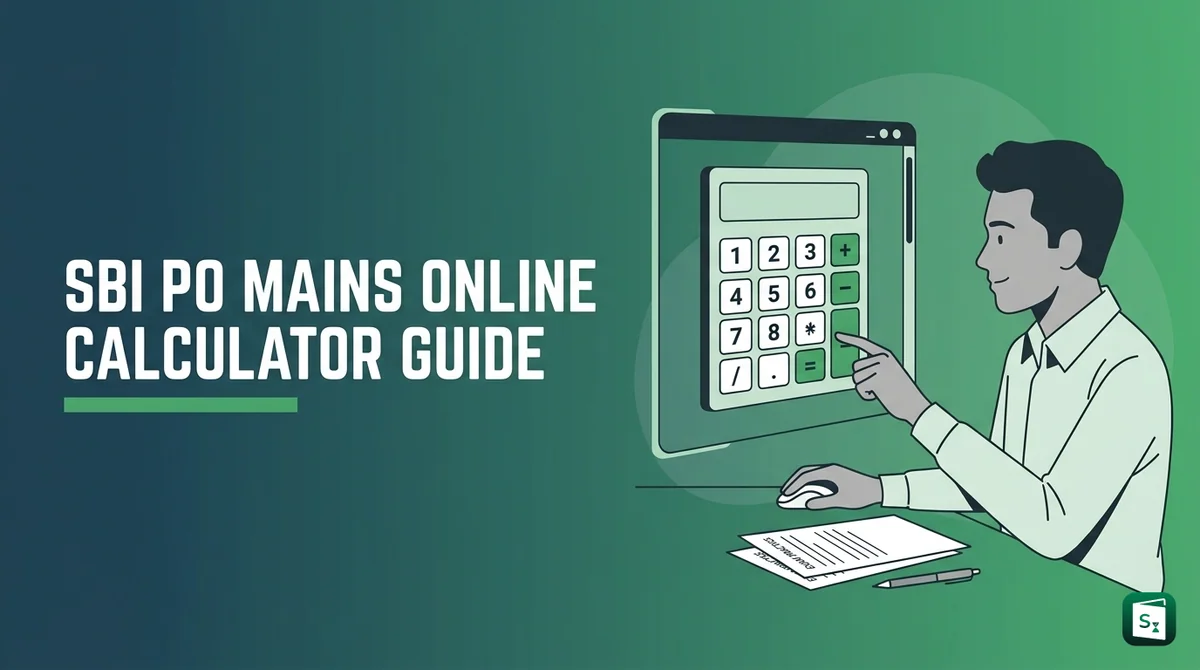
Here is the clear answer. SBI does not allow any personal calculator in the hall. But for the Data Analysis and Interpretation section, SBI gives an in-built calculator on the computer screen. You click it with the mouse and use it for heavy division, multiplication and percentage work.
This guide shows what the virtual calculator means, where it appears on the exam screen, how to open and use it step by step, how to balance it with rough sheets, and how to practice for sbi po mains di without wasting time. Read it once and you will walk into the hall with full confidence.
Mains 2026 Key Highlights
SBI PO Mains 2026 will be held online on 12 September 2026. It is the Phase II exam for Probationary Officers under advertisement CRPD/PO/2026-27/09. The test has two parts on the same day.
The Objective Test carries 200 marks with 170 questions and 3 hours duration. The Descriptive Test carries 30 marks and 30 minutes duration. You type answers on the computer right after the objective test.
| Test | Section | Questions | Marks | Duration |
|---|---|---|---|---|
| I | Reasoning and Computer Aptitude | 40 | 60 | 50 minutes |
| II | Data Analysis and Interpretation | 30 | 60 | 45 minutes |
| III | General Awareness, Economy, Banking Knowledge | 60 | 60 | 45 minutes |
| IV | English Language | 40 | 20 | 40 minutes |
| Total Objective | 170 | 200 | 3 hours | |
| Descriptive | Emails, Situation Analysis, Report or Precis | 3 out of 6 | 30 | 30 minutes |
Three rules matter most for sbi po mains pattern 2026:
- Each section has separate timing. You cannot borrow time from one section for another.
- You must score minimum qualifying marks in each test separately to reach Phase III, which is Group Exercise and Interview.
- There is a penalty of one fourth of marks for every wrong answer in objective tests. No penalty if you leave a question blank.
For the test of Data Analysis and Interpretation, SBI states clearly that use of in-built calculator is permitted, which will be made available on the computer screen. No other section gets this facility. For full rules on this, read our Is Calculator Allowed in SBI PO Mains 2026 guide.
What Is Virtual Calculator?
What is virtual calculator in SBI PO? It is a simple on-screen calculator built into the exam software. It is not a Casio device. It appears as a small window on your computer screen during the exam.
Virtual calculator means you do calculations with mouse clicks, not with a physical machine. You click numbers like 0 to 9, plus, minus, multiply, divide, decimal point, percentage and square root. The result shows in a small display box on top.
Three facts clear common doubts:
- It is basic, not scientific. SBI gives it for DI arithmetic like long division, ratio back calculation and percentage shares in table DI, bar graph, pie chart and caselet sets. It does not have advanced formula keys.
- It works with mouse only. SBI warns candidates not to press keyboard keys during the objective test, as this can lock the exam. So practice clicking fast with a mouse.
- It appears only during the Data Analysis and Interpretation timing of 45 minutes. You cannot open it in Reasoning, General Awareness or English sections.
Think of it like the GATE virtual calculator reference model many toppers talk about, but in a simpler banking exam form. GATE gives a scientific version for engineering sums. SBI gives a basic version for banking DI sums. In both cases, the idea is the same. Fair calculation help without allowing outside devices.
SBI PO Mains Calculator Use
How to use the virtual calculator on the SBI PO Mains exam screen? Mastering the on-screen digital calculator interface is simple, and you do not need any external virtual calculator download. SBI loads it automatically on the exam computer during the DI section.
Follow these steps on exam day:
- Enter the Data Analysis and Interpretation section. Your 45 minute timer starts.
- Look at the top right of the question screen for the calculator icon. Click it with the mouse.
- A small calculator window opens. Drag it to one side so you can still read the question and options.
- Plan the sum first on your rough sheet. Write the formula and numbers clearly.
- Click numbers and operators with the mouse. For example, to find 18 percent of 4,360, press 4360, then multiply, then 18, then divide by 100. Check the display before noting the answer.
- Note the result on your rough sheet. Then select the closest option, click Save and Next.
- Press C to clear before starting the next calculation. Close the window when you solve logic only questions like data sufficiency reading.
Pro Tip: Use BODMAS order carefully with virtual keys. BODMAS means Bracket, Order, Division, Multiplication, Addition and Subtraction. It tells you which step to do first in a long sum. Use brackets on the calculator for mixed steps, or break the sum into two small parts on rough paper.
Keep mouse control smooth. In mocks, practice opening, moving and closing the calculator without losing question view. Speed with the mouse saves more time than maths speed in this section.
Rough Sheet Vs Calculator
Should you use rough sheet or calculator for every sum? Toppers use both in a smart balance. Rough sheet is for thinking. Calculator is only for heavy final numbers.
SBI gives you rough sheets at the centre. You must write your name, roll number, registration number and exam date on every sheet and return them after the test. Do all logic work there.
Use this simple balance for sbi po mains di:
- Use rough sheet first for set up. Draw a small table for caselet DI, note ratios, write formulas for profit, average or percentage change. This avoids wrong clicks.
- Use mental maths for easy steps. If the sum is 10 percent of 5,000 or 25 multiplied by 4, solve it in mind. Do not open the calculator for such steps.
- Use virtual calculator only for tough steps. Long division like 3,847 divided by 613, multi digit multiplication and reverse percentage sums are ideal for it.
- Copy the final value back to rough sheet. Then compare with options. This keeps a record if you want to review the question later in the 45 minutes.
Warning: Do not type every small step into the calculator. Each DI question carries 2 marks, the highest per question value in mains. You get about 90 seconds per question. If you click 20 times for one question, you will attempt fewer sets and risk missing the sectional cut off.
DI Speed Techniques
The sbi po mains digital calculator helps, but it cannot pick the right set for you. SBI PO mains difficulty level for DI stays moderate to difficult every year with caselet DI, missing table DI and mixed graphs. Use these time saving techniques.
- Scan before you solve. Spend first 2 minutes to look at all DI sets. Pick sets from topics you know well, like table or bar graph, before touching lengthy caselets.
- Target 3 out of 5. A full set has 4 to 5 questions. Aim for 3 correct answers per set with high accuracy. This beats trying all 5 with errors and negative marking.
- Use approximation first. If options are far apart, round numbers smartly. For example, 19.8 percent can be taken as 20 percent for a quick check. Use the calculator only to confirm close options.
- Learn fixed conversions. Remember fractions up to one twentieth, tables up to 30, squares up to 40 and cubes up to 20. This cuts calculator clicks by half.
- Keep the 5 minute rule. If a set does not open up in 2 minutes, skip it. Easy sets deserve 5 to 6 minutes. Medium sets deserve 7 to 8 minutes. Never give more than 8 minutes to one set.
While everyone focuses on aptitude, smart aspirants know selection happens in Current Affairs and English where scores differ most. DI scores stay close for many candidates. Your GA score of 60 marks in 45 minutes can lift your total and merit rank.
Practice Without Download
Aspirants often look for virtual calculator online practice or a virtual calculator download for PC. For SBI PO, you do not need to download anything separately. The calculator appears only inside the TCS exam interface.
Here is how to practice in the right way:
- Give mocks with on-screen calculator. Many mock platforms now show a basic calculator for DI sections. Always use the mouse to click, never the keyboard. This builds real exam muscle memory.
- Do one drill daily for 20 minutes. Take any table DI or pie chart set. First solve divisions with approximation on paper. Then recheck one or two heavy steps with the mock calculator. Note time saved.
- Practice mouse plus paper flow. Keep rough paper on the left, mouse on the right. Write formula, click heavy part, note answer, mark option. Repeat this flow till it feels natural.
- Revise sbi po mains total marks and timing in mocks. Remember you have separate timers for each section. When the DI timer ends, the screen moves on. So practice finishing 12 to 15 high accuracy questions in 45 minutes instead of chasing all 30.
There are many current affairs sources available, such as newspapers and coaching PDFs. The Scoreclever Current Affairs Website stands out because it gives detailed daily coverage for complete understanding, along with crisp daily Banking PDFs on Scoreclever’s Telegram channel. You can check the performance proof to see real exam question coverage.
Mistakes To Avoid
Even with a calculator, small errors can cost marks due to negative marking of one fourth per wrong answer.
- Do not carry a personal calculator. SBI bans any calculator, calculator watch, scale, log table, mobile phone, smart watch and books in the lab. Keep them outside. Carry only call letters, photo ID, pen and stamp pad.
- Do not press keyboard keys to operate the calculator. Use the mouse. SBI clearly warns that pressing keyboard keys after the exam starts can lock the exam.
- Do not forget to press C before a new sum. Old values in display lead to wrong answers. Clear every time.
- Do not solve without a plan. If you directly click numbers without writing the formula on rough paper, you may solve the wrong ratio. Plan first, click later.
- Do not guess blindly. Is sbi po mains objective or subjective? It has both, objective MCQs with 5 options and descriptive typing. In objective, a wrong tick costs penalty. Leave very doubtful DI questions blank.
- Do not expect the calculator in other sections. Sbi po mains how many questions and marks? Reasoning has 40 questions for 60 marks, DI has 30 for 60, GA has 60 for 60, English has 40 for 20. Calculator help is only for the DI block.
If you remember is calculator allowed in sbi po mains only for DI, and practice the mouse workflow with rough sheets, you will save 8 to 10 minutes in the section. That time can help you attempt one extra set with calm mind.
Official & Helpful Links
What to do next?
Now you know how to use the SBI PO Mains calculator smartly. Do not worry about downloading external virtual calculator tools. SBI gives you the necessary on-screen calculator for DI. Your job is speed with the mouse, clean rough work, and smart set selection.
Do these three steps this week:
- Give one DI section mock of 30 questions in 45 minutes. Use on-screen calculator only for heavy steps and track your accuracy.
- Revise percentage fractions, tables and GA banking terms daily, as GA and DI together carry 120 of 200 objective marks.
- Join Scoreclever’s Current Affairs League at 8 PM and Vocab League at 7 PM on Telegram to build daily speed with live leaderboard.
Win exams cleverly by mastering the subjects others ignore. Your DI method will be steady, and your CA and English edge can push you into the final merit list.